
Download snics APK – nutrition tracker, calorie counter, food diary, healthy eating, meal tracking, personal nutrition coach, image recognition, macro tracking, micronutrient analysis, online coaching, fitness app, healthy lifestyle
Overview
snics is a free Android application developed by 360factory GmbH, designed to support users in adopting a healthier lifestyle through advanced nutrition tracking. The app functions as a comprehensive food diary, enabling individuals to monitor their daily caloric intake and macronutrient distribution. Its primary purpose is to simplify the process of tracking meals, making it accessible even for those without prior experience in nutrition management.
By leveraging automatic image recognition, snics allows users to photograph their meals and receive instant analysis of calories, carbohydrates, fats, and proteins, reducing the need for manual input. This feature sets it apart from many conventional nutrition apps that rely solely on manual data entry. The app is tailored for individuals committed to improving their eating habits, whether they are managing weight, building muscle, or simply maintaining balanced nutrition.
It also integrates a personal coaching component, allowing users to book online sessions with certified nutrition coaches who provide feedback based on uploaded meal photos. Real-world usage includes daily meal logging, goal setting, and receiving expert guidance to stay on track. The developer did not provide additional details about the company’s background beyond the name.
Key Features & Capabilities
- Automatic Image Recognition: Users can take photos of their meals, and the app automatically identifies food items and estimates nutritional content, including calories, carbs, fats, and proteins.
- Personal Nutrition Coaching: The app offers the ability to book online coaching sessions with certified nutrition professionals who review meal photos and provide personalized feedback and advice.
- Photo Diary Functionality: Each meal is saved as a visual record, creating a chronological food diary that users can review over time to identify eating patterns.
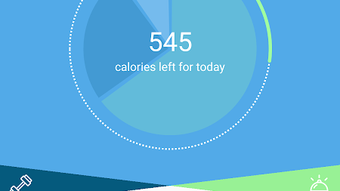
- Goal-Oriented Tracking: Users can set personalized nutrition goals, and the app helps monitor progress through visual indicators and summaries.
- Macro and Micronutrient Analysis: The app provides a detailed breakdown of both macronutrients and micronutrients, offering insights into dietary balance and nutritional adequacy.
- Weekly Habit Overview: A graphical summary of weekly eating habits is generated, displaying trends in calorie intake, macronutrient ratios, and food variety.
These features are particularly useful for users aiming to maintain a consistent diet, manage weight, or improve overall health. For example, someone trying to reduce carbohydrate intake can use the image recognition tool to quickly assess meal composition and adjust accordingly. The photo diary also helps users reflect on their eating behaviors, promoting mindfulness.
The integration of professional coaching adds a layer of accountability, which can be especially beneficial for those struggling with long-term dietary adherence. The app supports both automatic and manual adjustments, allowing users to refine food entries based on portion size or ingredient changes. This hybrid approach ensures accuracy while maintaining ease of use.
User Interface, Workflow & Performance
The user interface of snics is designed around visual interaction, with a clean layout centered on photo capture and meal logging. Navigation is intuitive, guiding users through the process of taking a picture, reviewing the auto-detected food items, and adjusting portion sizes or ingredients if needed. The workflow emphasizes speed and simplicity—users can log a meal in under a minute using the camera feature.
The app appears to prioritize visual feedback, with immediate display of nutritional data after image recognition. However, exact performance details were not specified by the developer. The developer did not provide information on CPU or RAM usage, so actual resource consumption remains unknown.
Stability and responsiveness are expected to be consistent with standard Android applications of similar scope. No reports of crashes or bugs were mentioned in the provided data. The app’s performance may vary depending on device capabilities, particularly in image processing speed.
Users with older Android devices may experience delays in image analysis. The developer did not disclose update frequency or background behavior, so users should rely on the Google Play Store for version management.
Compatibility & System Requirements
snics is designed for Android devices and is available as a free download on the Google Play Store. The app has a file size of 25.4 MB, indicating a lightweight installation that should not significantly impact storage space. The supported operating system version is not explicitly listed, but given the app’s release date of May 15, 2024, it is likely compatible with recent Android versions.
The developer did not specify minimum hardware requirements, such as RAM, processor type, or screen resolution. Exact system requirements were not listed. Compatibility with older Android versions cannot be confirmed.
Users are advised to check their device’s compatibility through the Google Play Store before installation. The app may require camera access and internet connectivity for image recognition and coaching services. Offline functionality is not detailed in the provided information.
Pros and Cons
Pros
- Free to download and use with no upfront cost.
- Automatic image recognition streamlines meal logging.
- Personalized coaching via online sessions enhances user engagement.
- Visual food diary supports long-term dietary reflection.
- Comprehensive macro and micronutrient analysis.
- Weekly reports with graphical insights into eating habits.
Cons
- Image recognition accuracy may vary depending on lighting and food presentation.
- Coaching sessions may require additional time or scheduling effort.
- Limited to Android platform; no version available for iOS or desktop.
- Exact system requirements were not provided.
- Reliance on internet connection for core features.
FAQ Section
Is snics available for iOS devices?
As of the provided information, snics is only available for Android. There is no official version for iOS devices.
Is snics safe to download and use?
snics is available on the Google Play Store, which provides a layer of security through app vetting. The app requires camera and internet access, which are standard for its functionality. Users should ensure they are downloading from the official source to maintain security.
Does snics require an internet connection?
Yes, an internet connection is required for image recognition, coaching session access, and data synchronization. Offline usage is not supported based on available details.
How often are updates released?
The developer did not specify the update frequency. Users should check the Google Play Store for the latest version.
Can I use snics without booking a coaching session?
Yes, the core nutrition tracking features, including image recognition and food diary, are available without engaging with a coach. Coaching is an optional add-on feature.
Final Thoughts + CTA
snics stands out in the crowded health and fitness app market by combining cutting-edge image recognition with personalized coaching. Its ability to analyze meals through photos significantly reduces the friction of daily tracking, making it ideal for users who want a seamless and engaging experience. The integration of professional guidance adds value beyond standard tracking tools, offering motivation and accountability.
While platform limitations and the lack of detailed system requirements are notable drawbacks, the app’s free availability and robust feature set make it a compelling choice for Android users focused on healthy eating. For those committed to improving their nutrition through visual tracking and expert support, snics delivers a modern, user-centric solution. Download snics now to take the first step toward a healthier lifestyle.







